Page last updated on 23 March 2026
Currently documenting and beta testing
Color extracting and filtering
- The ingestion procedures can now automatically extract the most dominant colors so that you can filter search results by most dominant color shade.
- To configure the settings for both the process of extracting colors and the process that creates filters for those colors can be configured via Site configuration > API integration > Color processing.
- The color filters can be configured via custom filters (Site configuration > Search settings & Filters > Custom filters).
- The metadata dialog shows the extracted color(s) and the applied filter codes on the System tab.
Find similars dialog
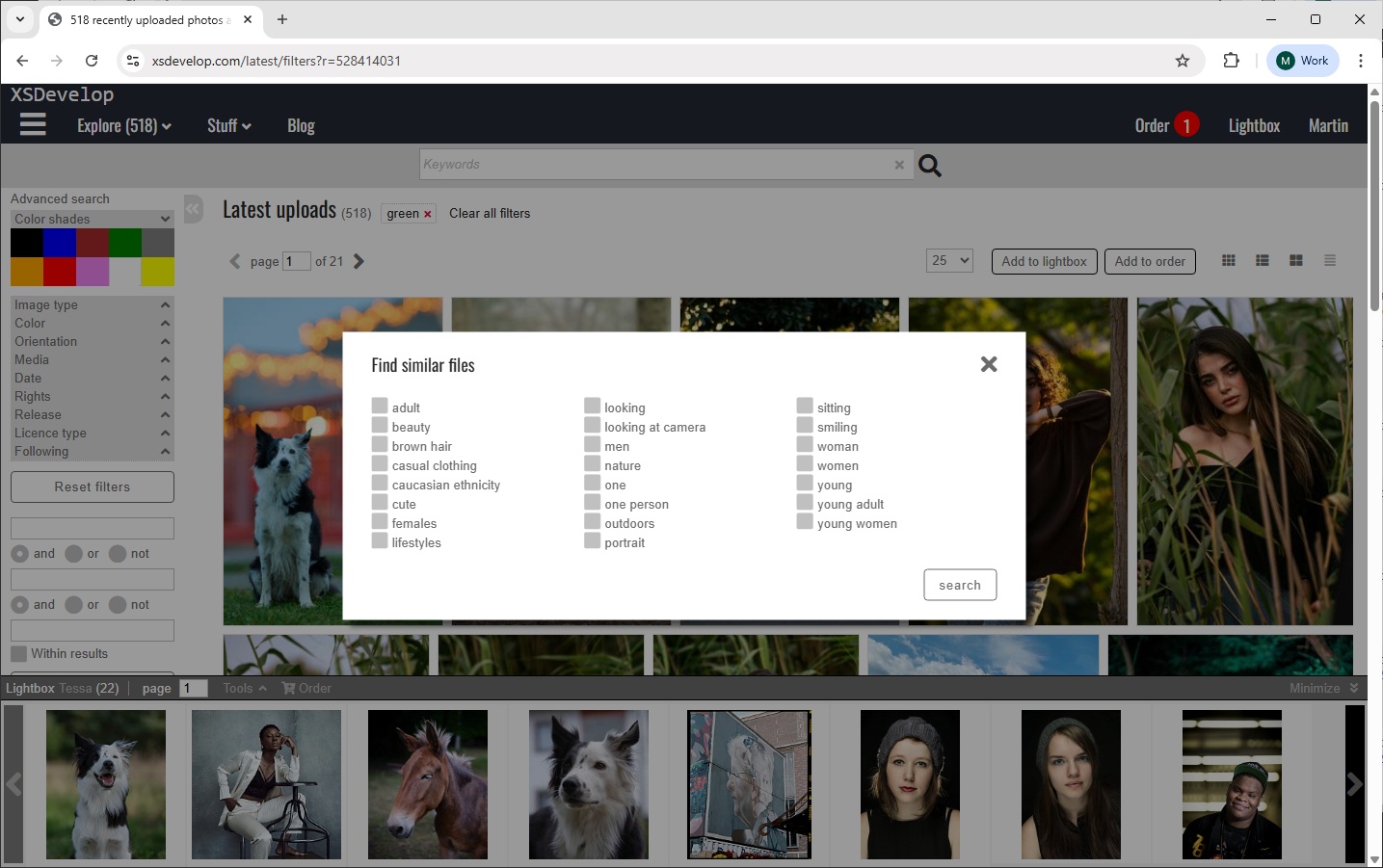
- The thumbnail buttons can now include a “Find similars” button that one can click to open a dialog with the keywords that are attached to the file. These keywords can then be used to build a new search to find similar files (based on the keywords).
The dialog can be customised as its HTML is in the code editor, and so is the script to display and build the new search query.
Full text search results
- You can now configure the maximum number of search results for a full text search via Site configuration > General settings,
- and you can configure the maximum number of results for “/latest” via Site configuration > Ranking, Ordering and Latest.
Lightbox & Cart panels
- You can now toggle between smaller and larger thumbnails in the panels at the bottom of the pages.
- The lightbox rearrange function now lets you drag multiple files at once.
Price agreements / subscriptions
- A setting was added that lets you ignore supplier minimum sales prices if a user wants to apply a subscription/agreement to an order detail.
Cart / Checkout page & Coupons
- The cart page displays information about contributors minimum sales prices if applicable (use CSS to hide if you don’t want this info to show).
- Applying a generic coupon will check the discounted prices to not go below any contributor minimum sales prices.
User dialog
- Added “Following” to the activity tab – to display the contributors a user is following.
Supplier dialog
- Added “Followers” tab – to display the users that are following the contributor.
- Added “Media type” to the list view of order details (listing the contributor’s files in orders).
Supplier coupons
- You can now create coupons that can be applied to orders with files from a specific supplier/contributor only. Such coupons can apply a fixed price or a discount percentage.
Batch dialog
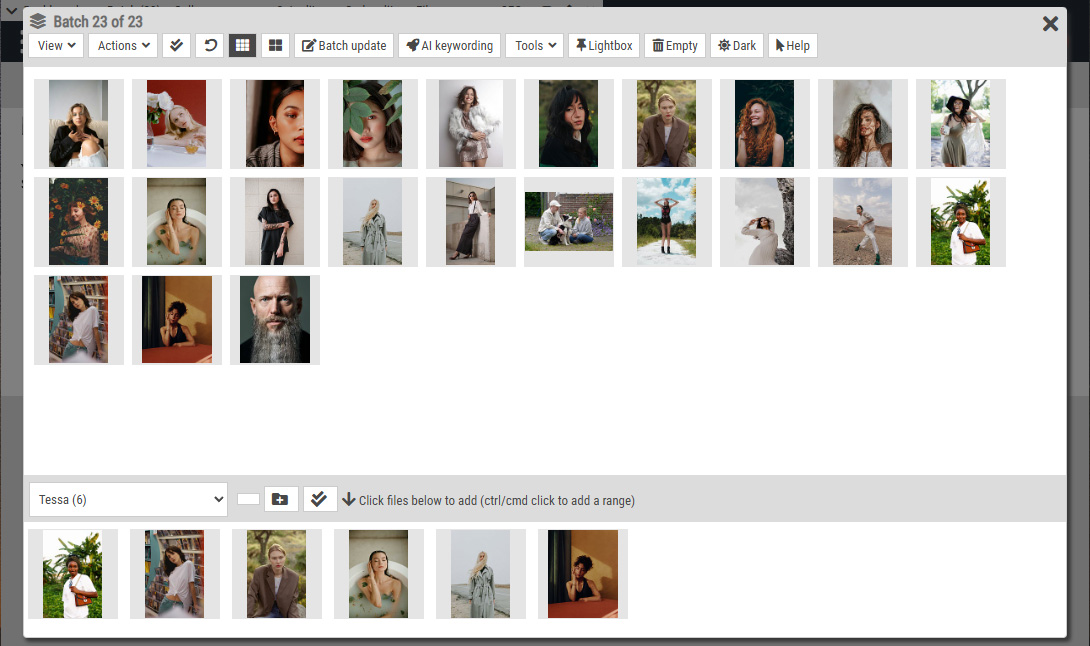
- Admins can now copy their batch into other staff member or contributor user accounts.
Job server export
- Added CSV export for all contributors and their active suppliers.
- Changed date format on exports from XSJOB_INVOICES to YYYYMMDD.
- Added “Metadata of file range with restrictions” to exports (time based restriction text as a single string in column RESTRICTIONS).
- Added “Metadata of files added in the last x days with restrictions” to exports (time based restriction text as a single string in column RESTRICTIONS).
- Added “Metadata of files matching advanced filters with restrictions” to exports (time based restriction text as a single string in column RESTRICTIONS).
E-mail approval queue
- You can now enable e-mail approval for the automated e-mails re new users, no logins since and no orders since. You can then manually approve or deny e-mails from the User management page (button E-mail approval in the toolbar). You can also remove entries from the queue to automatically have the e-mails sent/entries queued again (undo).
An admin e-mail notification is sent to let you know that you need to take action when new entries have been added to the queue.
Management pages
- Added quick date range select presets to all management pages with date range filters (e.g. user-, order- and invoice management).
Order management
- Added “Not downloaded” to the order filters at the top of the order page.
Price calculator
- You can now exclude use details for files that are “editorial only” and/or “commercial only”. For example, if a photo is restricted for Editorial use only – then this will allow you to hide all uses that are not editorial from the dialog when calculating the price for this file.
Site configuration
- Last used items are now showing at the top of the side bar for easy access.
- Added a “Search Site configuration” box to quickly find an item.
Bug fixes
- Added extra check to make sure cached preview pages aren’t shown if the contributor/supplier was removed.
- Fixed problem with the modal mask on the submission management page.
- Fixed problem with the modal mask on the supplier management page (unmatched files dialog).
- Fixed bug in user management page filters (when searching for e-mail address and filtered by last log in between two dates).
- Fixed display bug on the Contributor tab of the User dialog properties.
- Fixed bug in “Image type” filters (illustrations/photos).
- Changing multiple files at once from a RM to a RF licence on the cart page did not work. This is fixed.
- Accents and special characters used in order detail descriptions got scrambled when copied over to invoice details. This is fixed.